Every assistant below uses the same address. Copy it when the steps ask for a server URL:
https://www.talebuilder.com/api/mcpThe first time the assistant uses TaleBuilder, it opens a TaleBuilder sign-in page. Sign in or create an account there, allow access, and you are connected.
What to ask
- “Make a bedtime story about a shy hedgehog named Mira who is scared of the dark, for my kindergartener.”
- “Is the hedgehog book ready yet?”
- “Read me the first page of the owl one.”
- “What books have I made?”
- “Finish the hedgehog book.”
You never need a book’s id. Name it the way you remember it, by a word from the title or the idea, and the assistant finds it. If two books match, it asks which one you mean.
What it costs
A preview is free: the whole story, the characters and the cover, up to three a day. It is ready in about three to four minutes. Illustrating every page costs 11 acorns from your account and takes about eight minutes; a new account’s sign-up bonus covers the first book. The assistant asks before it spends acorns.
Connect your assistant
Claude
- Go to claude.ai/settings/connectors. If Settings opens on another page, click Connectors in the left menu.
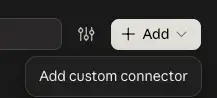
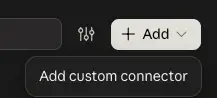
- Click Add at the top right, then Add custom connector.
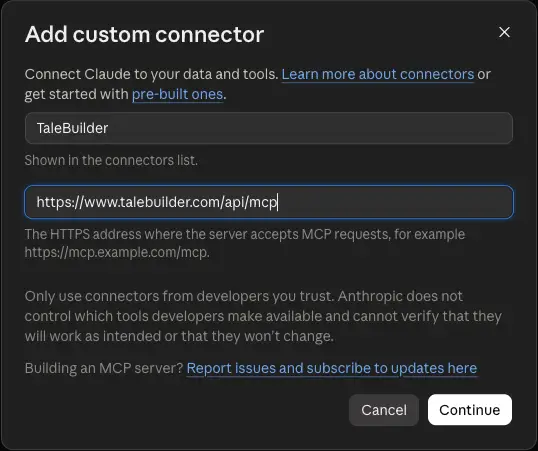
- In Name, type TaleBuilder. In MCP server URL, paste the address above.
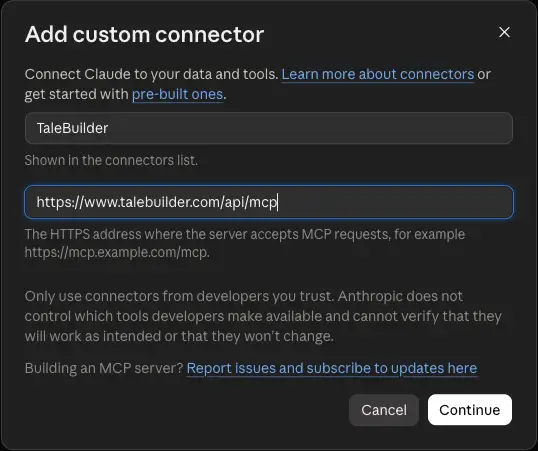
- Click Continue.
- A TaleBuilder page opens. Sign in, or create an account, and click Allow.
ChatGPT
- Go to chatgpt.com/settings/plugins-settings.
- Scroll to the bottom and click Developer mode.
- Turn on the Developer mode switch. It is available on the plans OpenAI lists in its developer mode guide.

- Add a plugin and paste the address above as its server URL.
- A TaleBuilder page opens. Sign in, or create an account, and click Allow.

Gemini
- Go to gemini.google.com/apps.
- Scroll to the bottom, to Custom apps for Spark.
- Paste the address above into the box and click Next.

- A TaleBuilder page opens. Sign in, or create an account, and click Allow.

Google currently offers custom apps in the US, in English, for personal accounts of people 18 and over.
Grok
- Go to grok.com.
- Open Connectors, click New Connector, then Custom.
- Paste the address above.
- A TaleBuilder page opens. Sign in, or create an account, and click Allow.
Claude Code, Gemini CLI, Cursor, VS Code and other tools
Claude Code:
claude mcp add --transport http talebuilder https://www.talebuilder.com/api/mcpGemini CLI:
gemini extensions install https://github.com/tomkit/talebuilder-pluginAny other app that supports remote MCP servers can use the server URL with Streamable HTTP. Sign-in is OAuth, discovered automatically. Setup for each tool is in the TaleBuilder plugin repository.
Questions
Write to support@talebuilder.com. Books made from an assistant follow the same privacy policy and terms as books made on the site.